Character Sheet Folder
Character sheets displayed on this site are fetched from: https://drive.google.com/drive/folders/1aD3AL-d2KXQirIvZ9Q_fPe-JoXNlQFiK?usp=drive_link
Updating Character Sheet
- Download and/or save your modified character sheet to your computer.
- Go to the Character Sheet Drive Folder
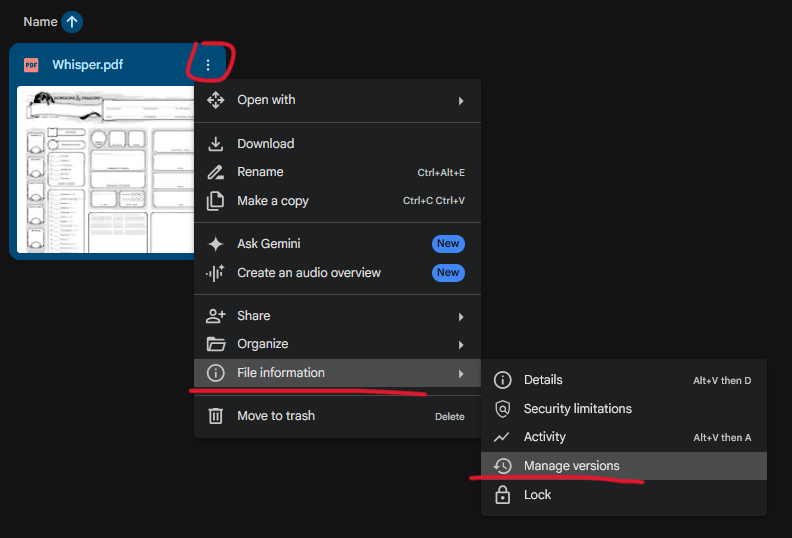
- On the existing PDF in the drive folder for your character, click the three dots and select File information > Manage versions:
- Click the Upload New Version button:
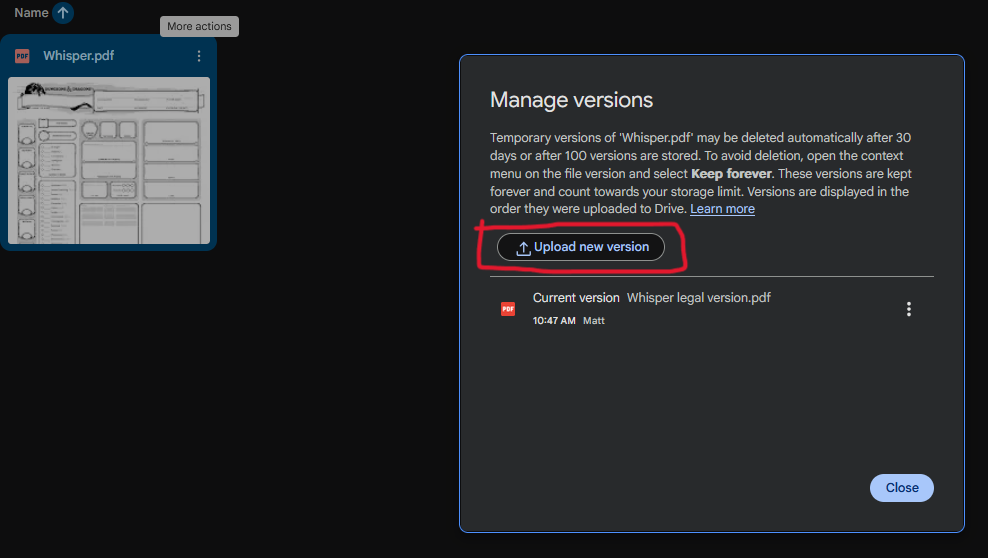
- The PDF on the site can take up to 5 minutes to refresh to the latest version.
Editing on This Website
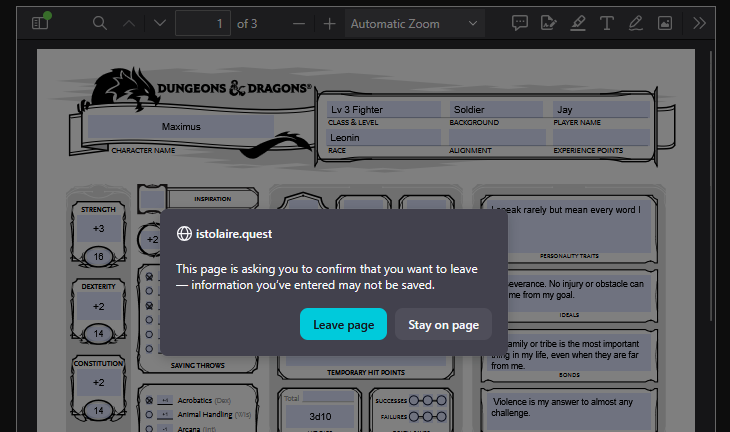
Note: If using the in-browser PDF editor on a character sheet, make sure to download the PDF to keep any changes.
Refreshing the page will overwrite any local changes with whatever is in the google drive.
You should get this warning if you're about to trigger the reload. Select "Stay on page" and download your PDF if you want to keep your changes: